

We have improved for you.
We renewed our Online Shop.
We are upgrading our Online Shop and systems to further improve your daily operations, ensuring, easy, fast and dynamic processes.
Coming soon, you will enjoy a complete relaunch of our Online Shop with a new design and additional features. Thanks to a new technological foundation, your experience will be enhanced.
.

Important
On October 27th, 2025, when the new version of MISUMI Mexico is launched, your session will be automatically closed. We recommend keeping your username and password handy; if you have forgotten them, we can assist you in recovering them.
We have taken great care in developing this update, and we are still working on it to continue improving it.
Therefore, it is possible that you may experience some inconveniences or that some functions are not available at the moment.
Find out more about the new changes:
- Online Shop Relaunch
- New Homepage
- All Access: Cart
- Product Search and Category Pages
- Configure and Add to Cart
- Orders, Quotes & Check-out
- Your Order & Quote History
- Special Requests
- Account Statements
- Registration & User Administration
Online Shop Relaunch
We’ve completely redesigned our online store with new layouts and features that make every page more dynamic, accessible, and easy to use.
Our site now makes better use of your screen space, giving you more information at a glance, while reducing steps and simplifying every action.
In the next sections, you’ll discover the features that will make your daily work faster, easier, and more efficient.
The new site gives you more information, power, and control.
New Homepage
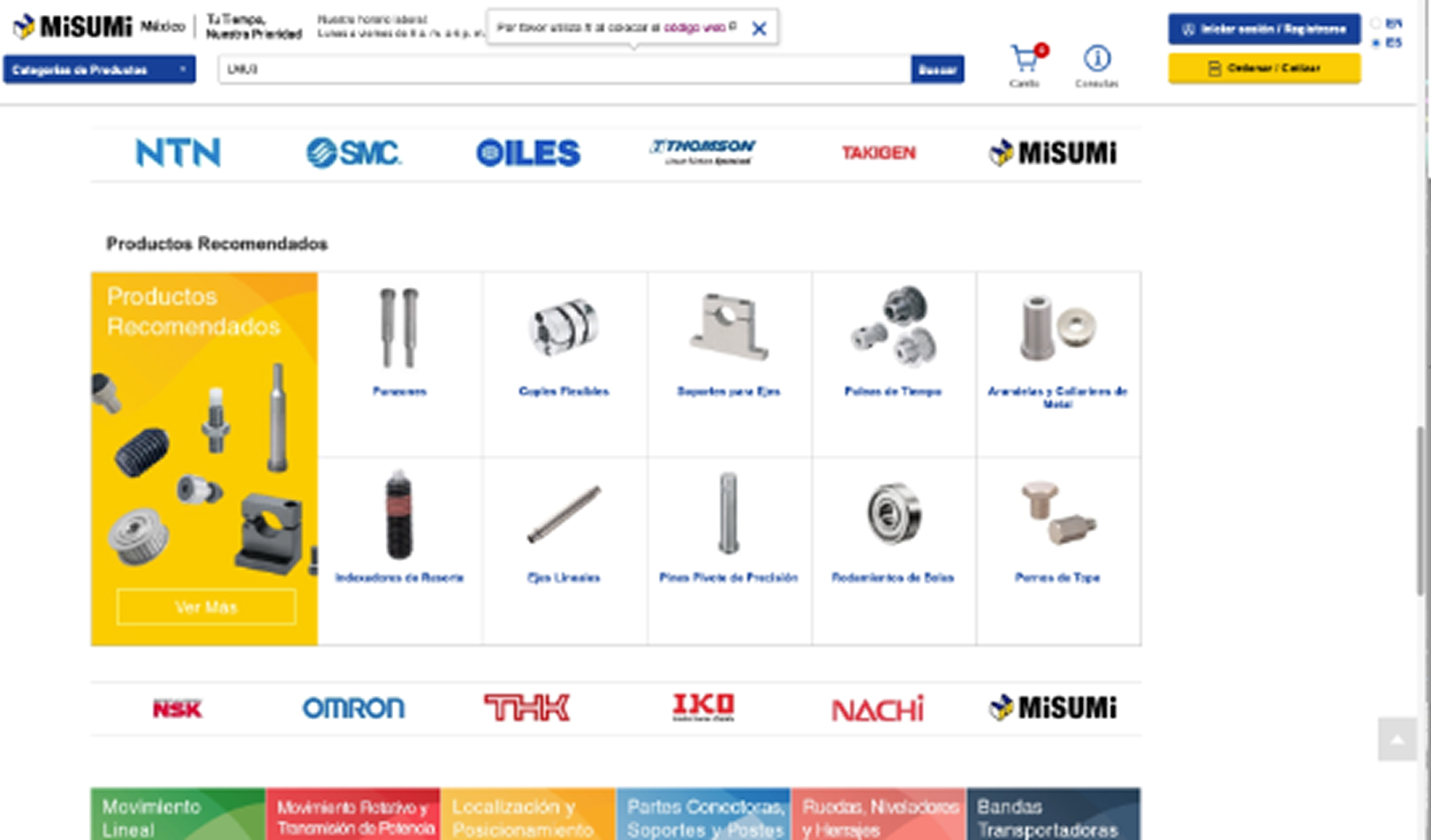
The new homepage is built to keep your most important tools within easy reach.
Quickly access your recommended categories, along with your order and quotation history—all in one place.
Cart
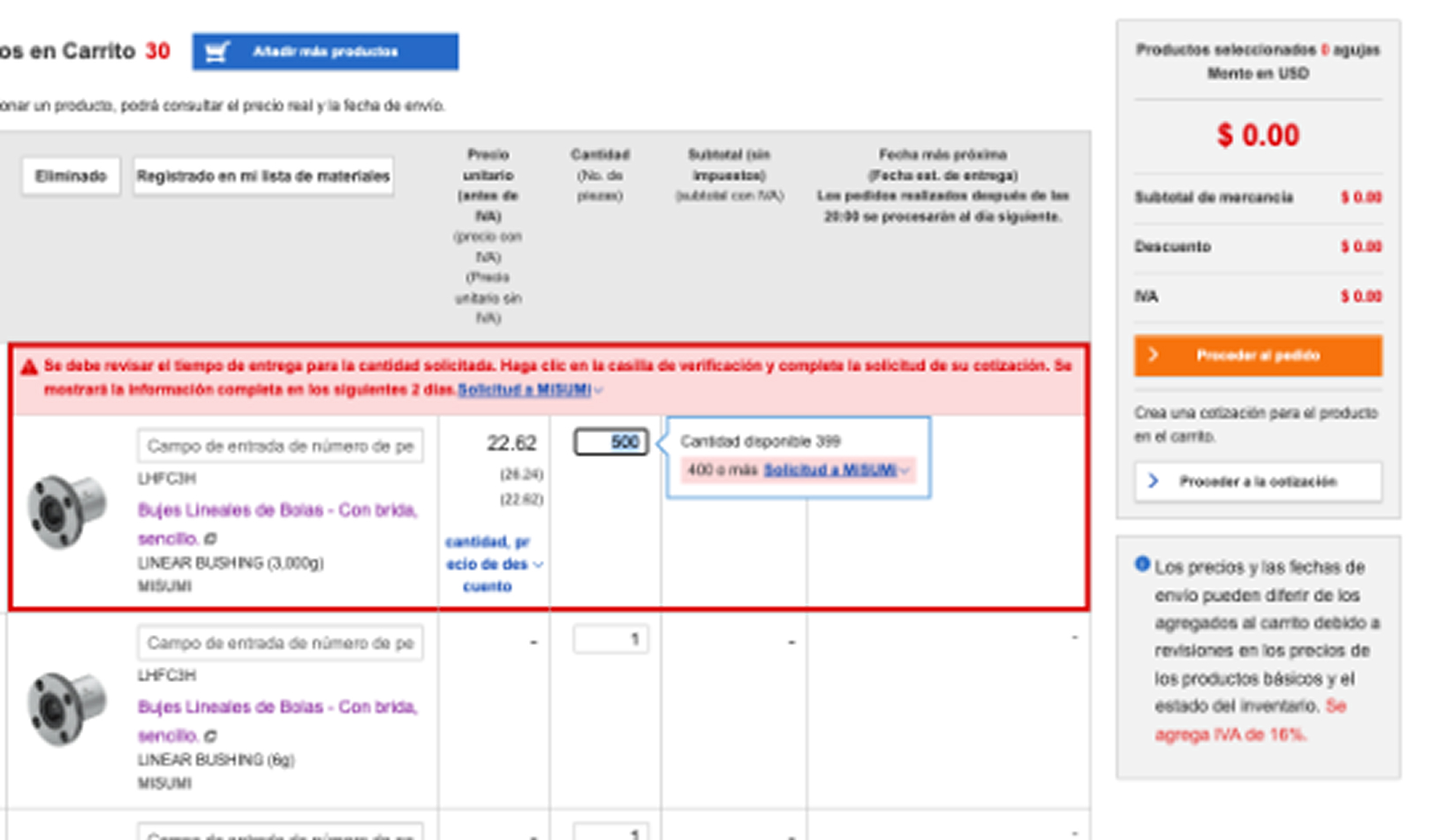
The cart is now the central place for your quotes and orders, with fewer steps and clearer visualization.
Every product you add instantly displays its price, stock and shipping time, along with all the details you need to make faster decisions.
With our new pages, you can quote and purchase more efficiently, having all the key information right at your fingertips.
Product Search & Category Pages
Now finding what you need is easier and faster.
Our search bar includes smart suggestions that take you directly to the category or product you’re looking for.
Plus, when you hover over each suggestion, you can see the product image, basic information, and a button to add it to your cart instantly—without opening another page.

Configure and Add to Cart
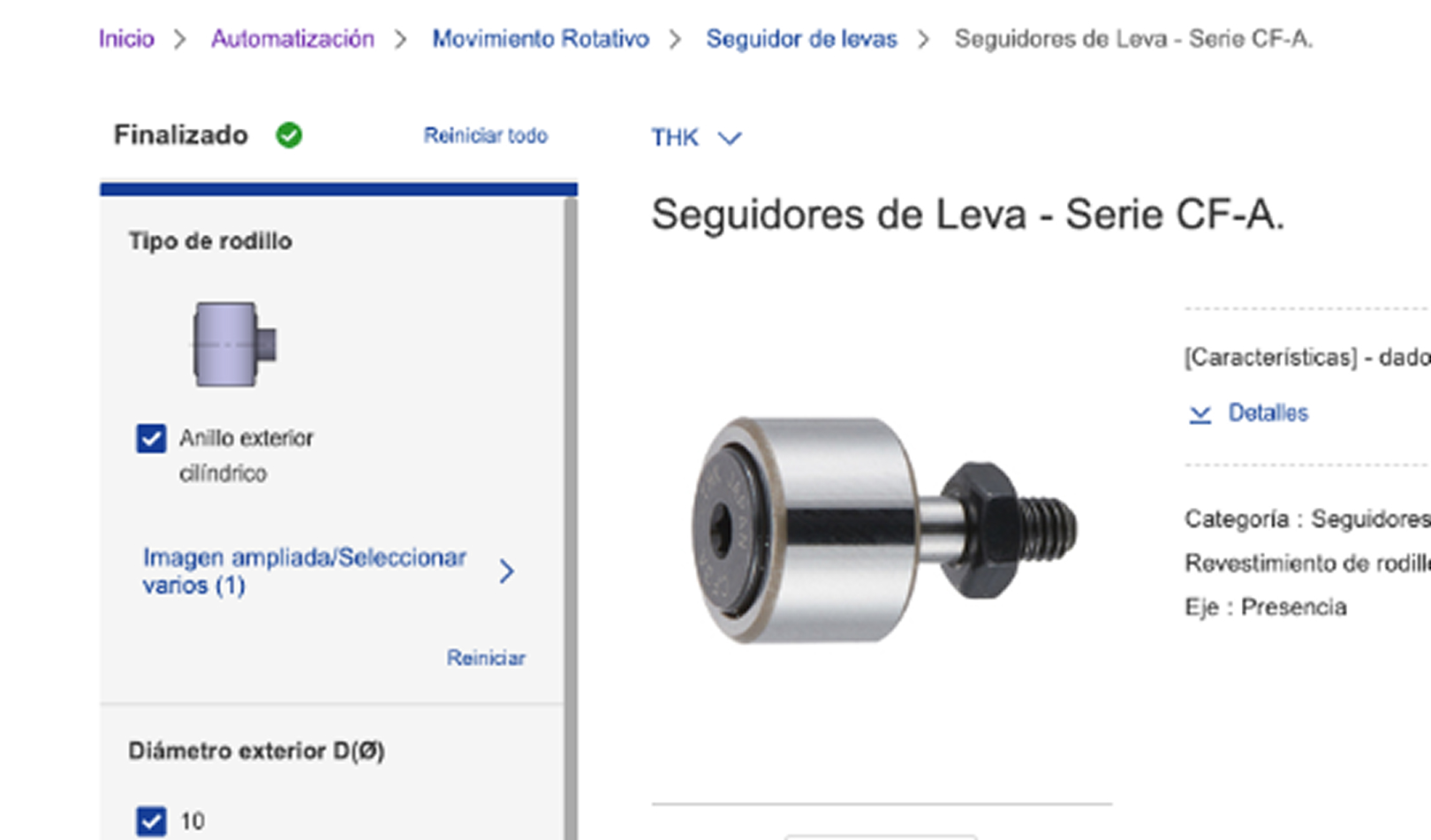
The new design gives you more space to view details and configure your part number.
Quickly check inventory, delivery times, prices, and discounts.
Need more products? Submit a special request in just a few clicks.
And of course, CAD downloads are still available!
Orders, Quotes & Check-out
The process is now simpler:
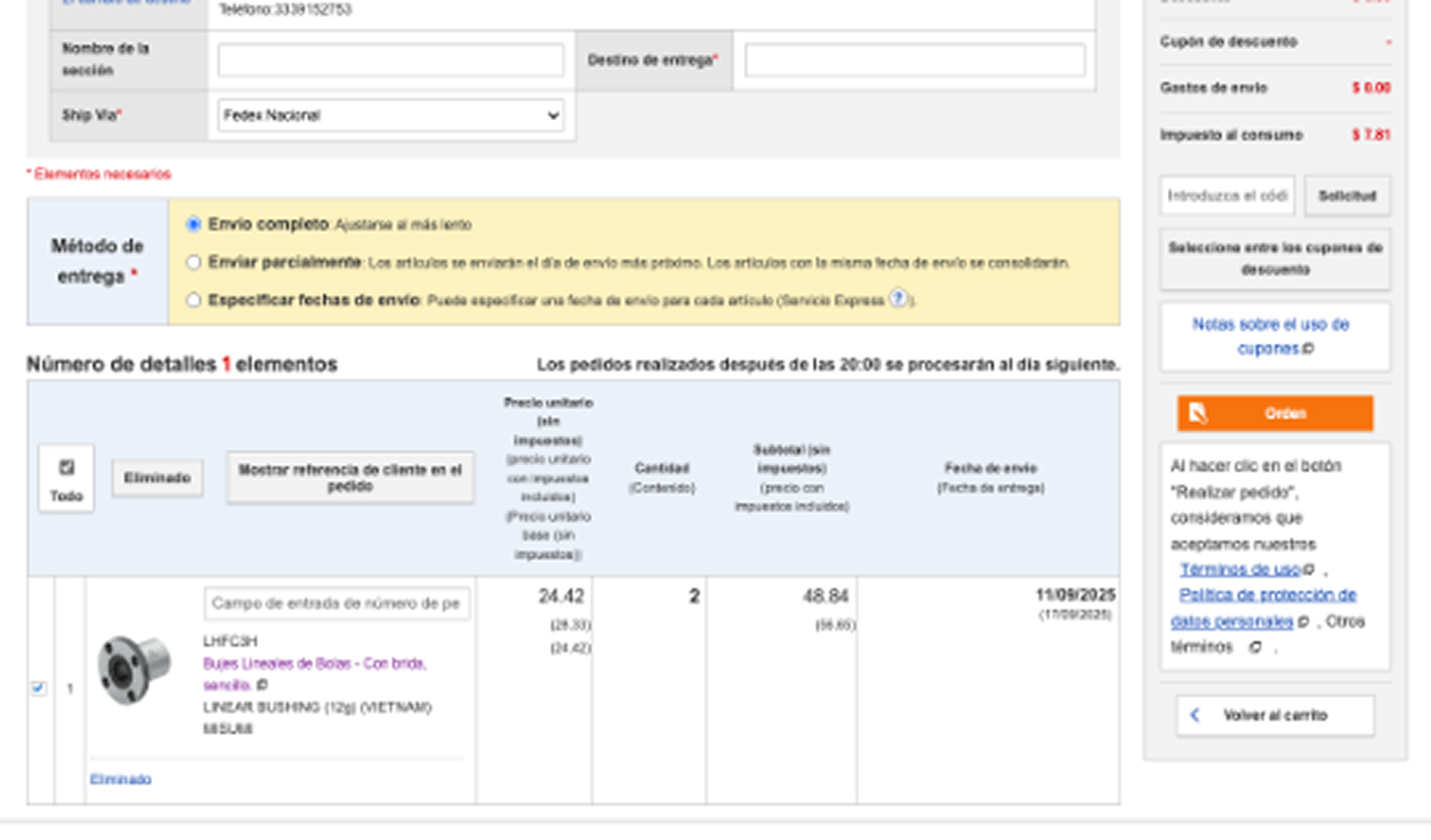
Cart → Overview → Confirmation.
Already know what you need? Add products to your cart and request a quote or place an order right away. Plus, enjoy our new part number suggestions to make it even easier.
Our updated pages give you all key details instantly, so you can complete your quotes and orders faster and more easily.
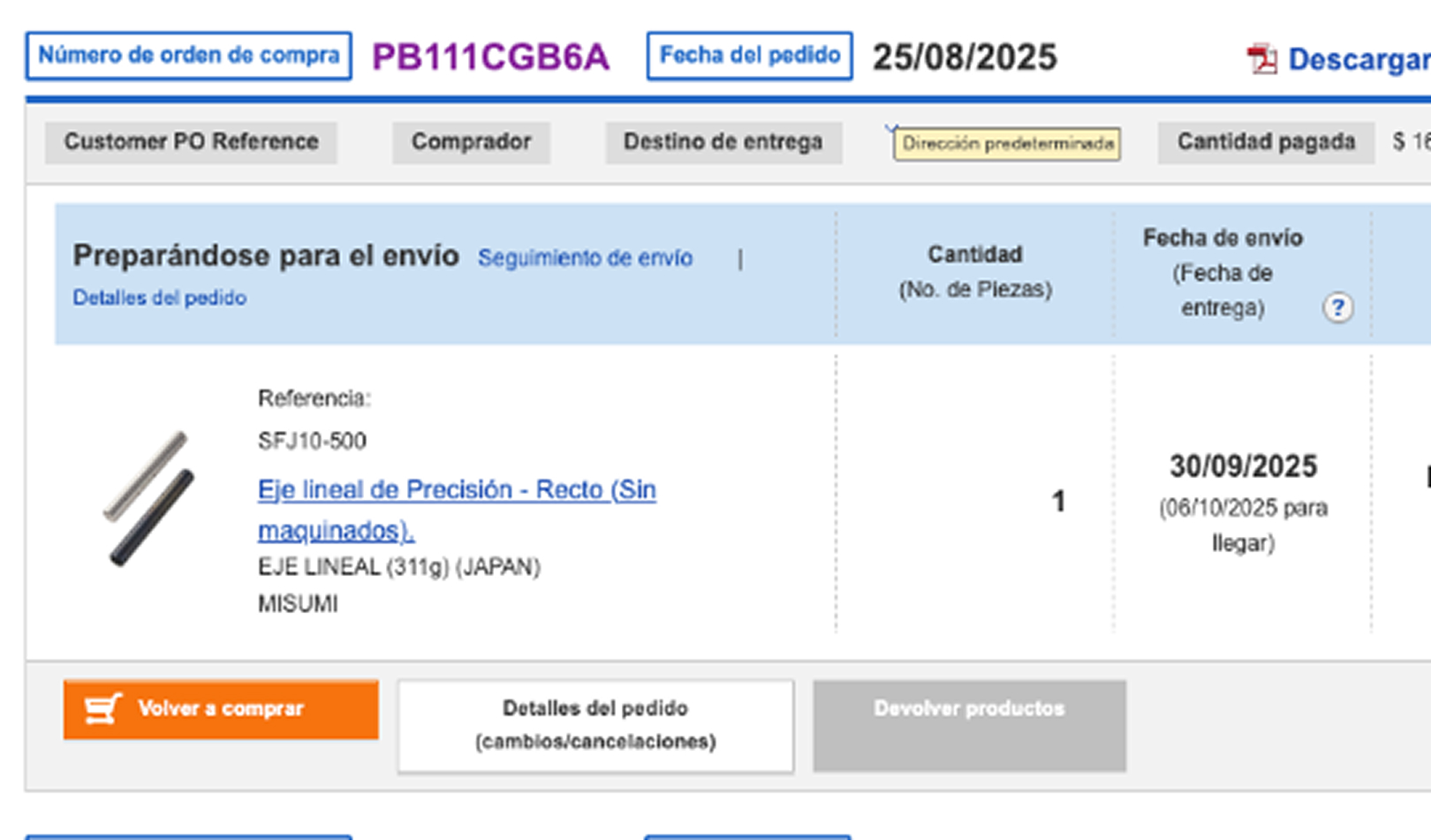
Your Order & Quote History
View your recent orders just minutes after placing them, and quickly find all your quotes and orders from the past 24 months.
Want to turn a quote into a purchase order or reorder past items? Do it directly from here, along with the ability to cancel, return, or adjust delivery dates for the entire order or selected items.
Special Requests, simple and fast
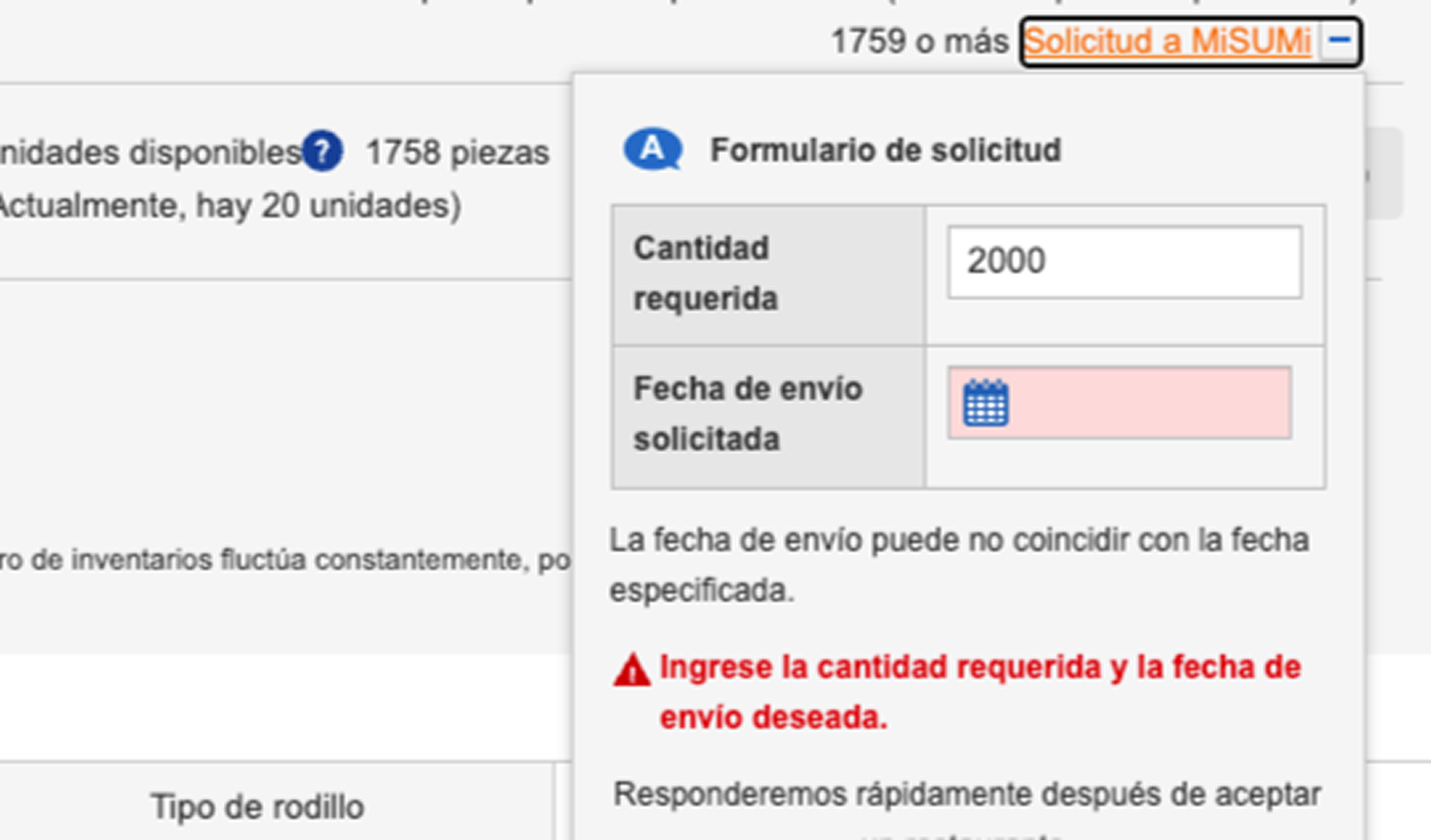
When ordering a large quantity or a restricted product, you may see an error message. Now you can send a Special Request with just one click directly to our Customer Service team.
Your request will appear in the Request List within My Page, where you can track its progress and view our response to complete your order.
Customer Statements
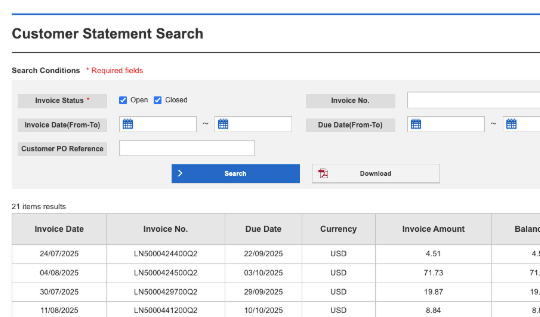
If you have credit with MISUMI, you can now access your account statements directly from My Page.
The new view clearly shows the status of your invoices: paid, overdue, or upcoming.
In the section Additional Documents → Download Account Statements, you’ll find the details of each order.
You can also export the data to XLSX or PDF for easier tracking.
Registration & User Administration
From My Page → Company Settings → User Management, you can add, edit, or remove users from your account.
You can also assign or revoke specific permissions (purchasing, quoting, viewing invoices, etc.) and review access requests from new users.

With more to come…